13. Cloud webapp — Devices
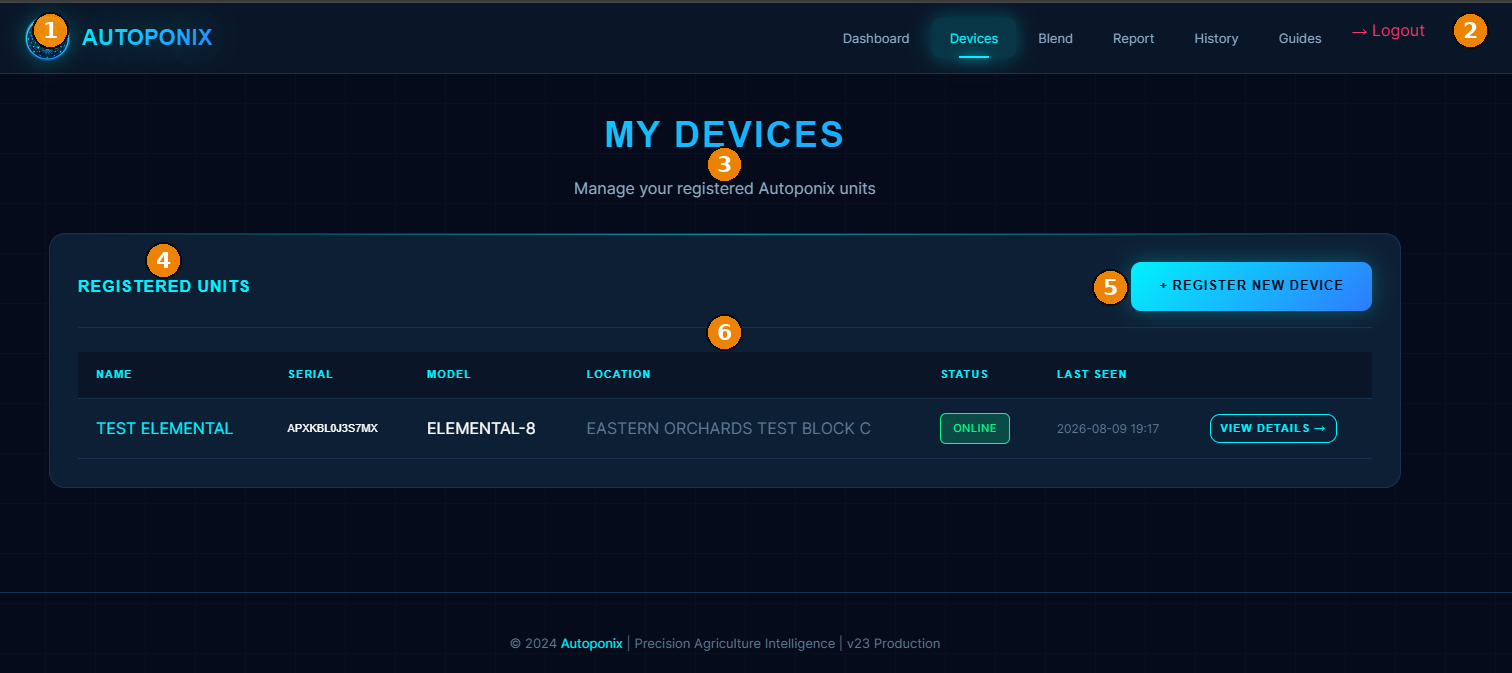
Manage every Elemental panel registered to your account: serial, location, online status, and detail pages.
| # | Feature | What it means |
|---|---|---|
| 1 | Branding + nav | Autoponix logo and main menu (Devices active). |
| 2 | Logout | Sign out of the cloud account. |
| 3 | Page title | My Devices — manage registered Autoponix units. |
| 4 | Registered Units | Section heading for the device list. |
| 5 | + Register New Device | Opens registration for an authorised serial (name + location). |
| 6 | Device table | Name, serial, model, location, status (e.g. Online), last seen, View Details. |
Operator / owner tips
- A panel must appear here (and usually Online) before you can push a blend job to it.
- Use View Details for job history and device-specific actions.
- Only register serials that Blue Pixel Systems has authorised for your organisation.
Next
Blend calculator
— enter crop, soil, and calculate a recipe.