9. Setup & tanks
Open Setup from Home (#19) to check concentrate channels and read the system log. This is where you confirm macros and micros before a long run.
When to open Setup
Before the first blend of the day, after any tank refill, or whenever Home shows a
concentrate warning. For the full empty-tank recovery sequence, see
Warnings.
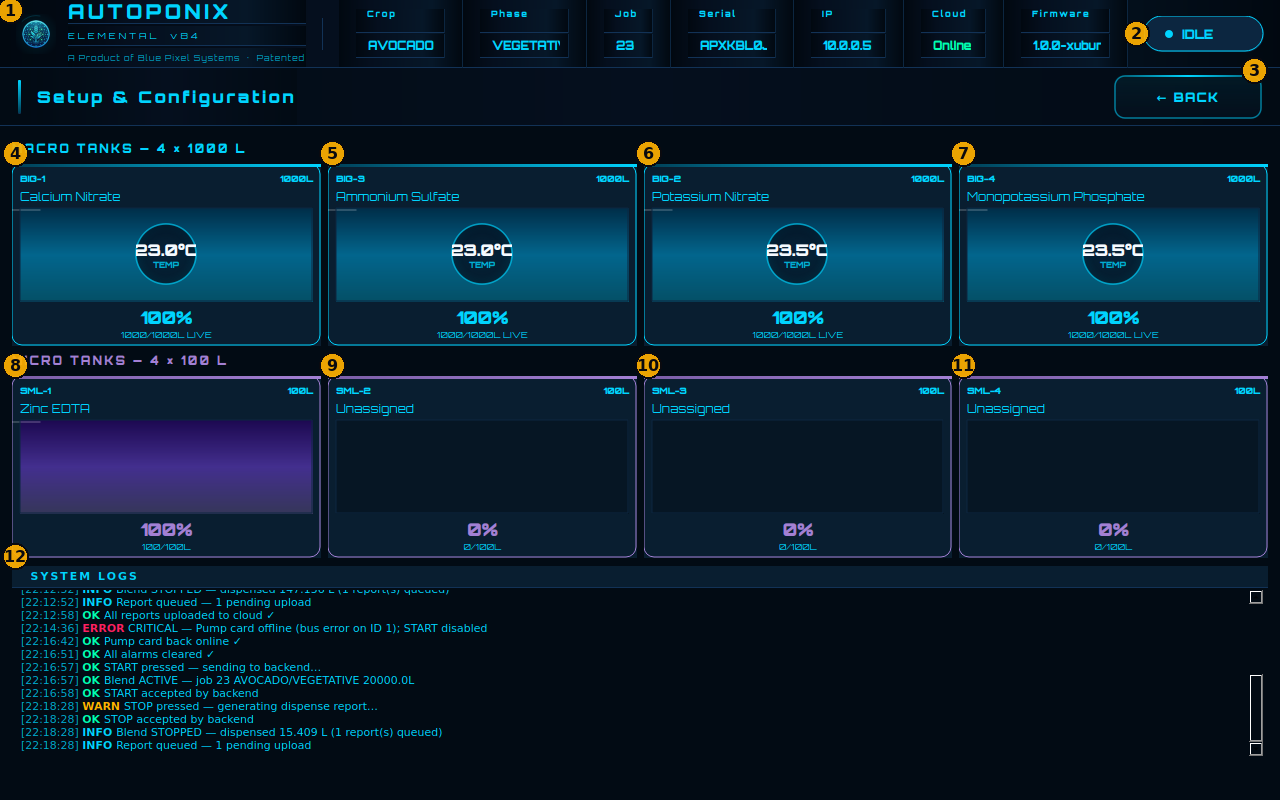
Screen map
| # | Feature | What it means |
|---|---|---|
| 1 | Branding | Autoponix Elemental product header (same on every page). |
| 2 | Top status strip + badge | Crop, phase, job, serial, IP, cloud, firmware, and IDLE / WARNING / ERROR badge. |
| 3 | BACK | Returns to the Home screen. |
| 4 | Macro tank BIG-1 | Large concentrate channel: nutrient name, temperature, fill %, LIVE / EMPTY / FAULT. |
| 5 | Macro tank BIG-3 | Second large concentrate tile (same readings). |
| 6 | Macro tank BIG-2 | Third large concentrate tile. |
| 7 | Macro tank BIG-4 | Fourth large concentrate tile. |
| 8 | Micro tank SML-1 | Small channel with assigned nutrient (example: Zinc EDTA). |
| 9 | Micro tank SML-2 | May show a nutrient or Unassigned (unused — not an error). |
| 10 | Micro tank SML-3 | Same as above. |
| 11 | Micro tank SML-4 | Same as above. |
| 12 | SYSTEM LOGS | Scrollable event list: OK (green), INFO (blue), WARN (amber), ERROR (red). |
BIG vs SML
BIG channels are the large concentrate feeds; SML channels are the micros.
Physical mapping to skid tanks is covered in
Machine assembly.
Spotting an empty concentrate
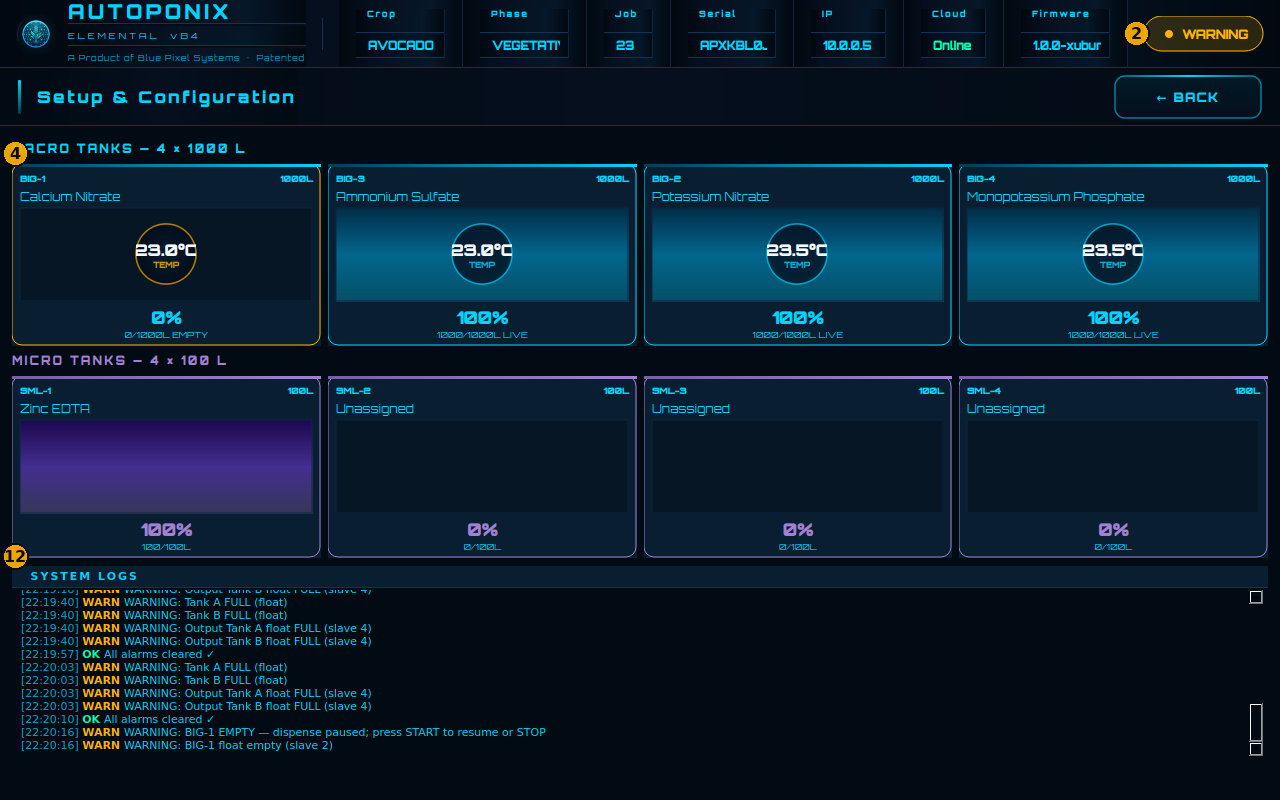
| # | Feature | What to notice |
|---|---|---|
| 2 | WARNING badge | Confirms attention is needed (also shown on Home). |
| 4–7 | EMPTY macro tile | The BIG channel that needs refill (example: Calcium Nitrate at 0%). |
| 12 | SYSTEM LOGS | Matching WARN lines for empty tank / pause instructions. |
Refill the named channel, wait until the tile shows LIVE, then BACK to Home. Press START to resume a paused blend, or STOP to end — full steps in Warnings.
Reading the system log
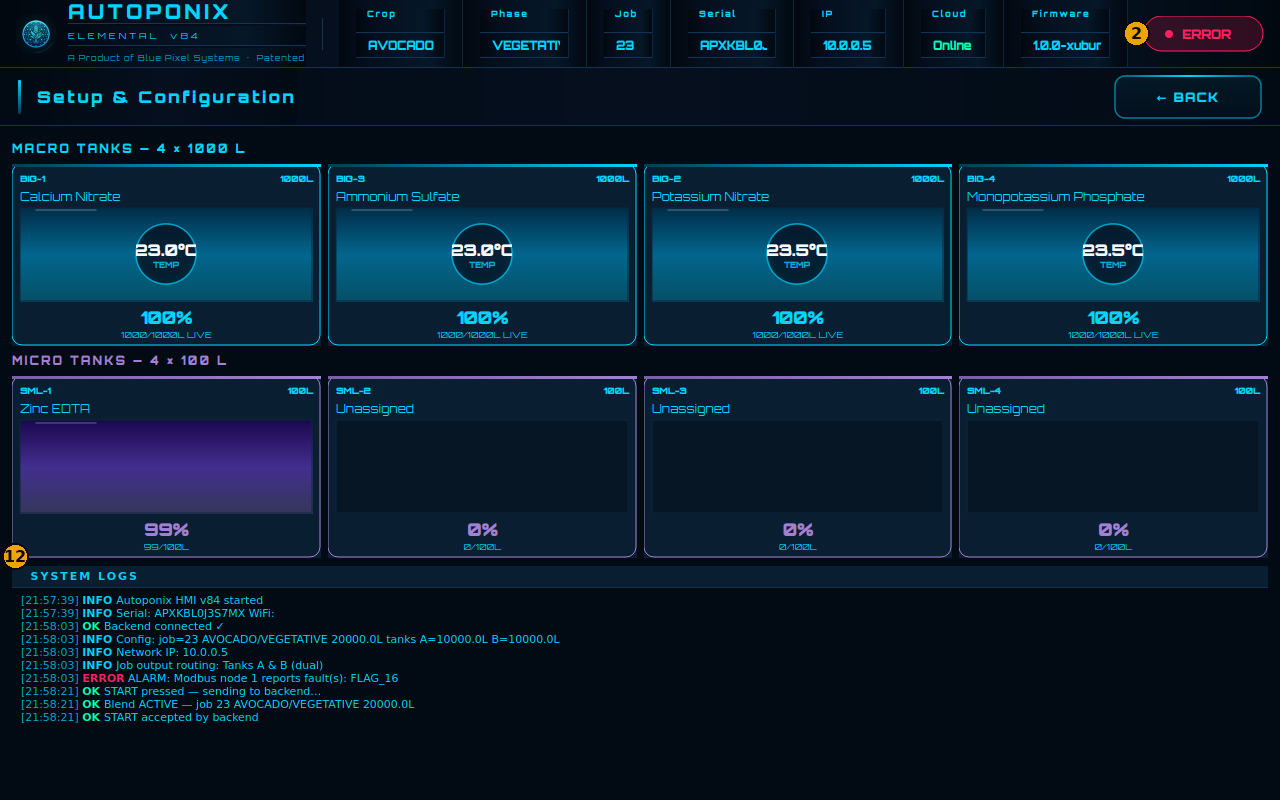
| # | Feature | What it means |
|---|---|---|
| 2 | Status badge | Here showing ERROR — read the newest red lines in the log for detail. |
| 12 | SYSTEM LOGS | Exact messages with time stamps. Use these when troubleshooting or calling support. |
Next
Check output tanks A and B in
Output tank monitoring.