3. Control cabinet
Parts on the Elemental enclosure — front, rear, and top. Numbering is unified across all three views (#1 at the HMI through #39 on the top).
Drawings
cabinet_front_annotated.png ·
cabinet_back_annotated.png ·
cabinet_top_annotated.png
How to start the machine
Full power-up sequence (mains → twist emergency #6 to deactivate → power switch #5 ON →
lights, 240 V, current, beeps, HMI) is in
Getting started.
DANGER — Live enclosure
Never open this cabinet. Hazardous voltages inside can cause severe injury or death by
electric shock. Operators work only from the closed door — HMI (#1), power switch (#5),
emergency cut-off (#6), and gauges (#7–#8). Internal work is for qualified electricians
under lock-out / tag-out only.
Front panel
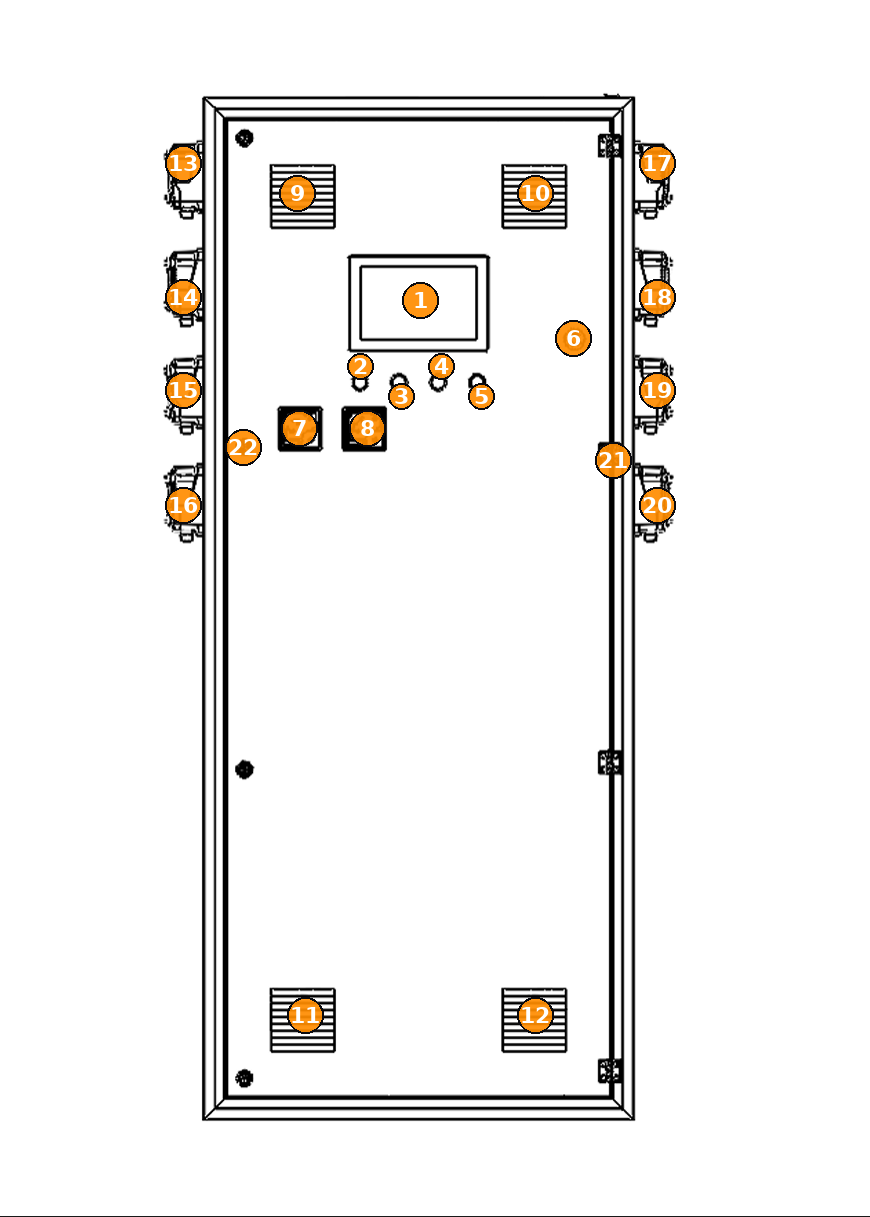
| # | Part | Description |
|---|---|---|
| 1 | HMI display | Main touchscreen — operator control and monitoring. |
| 2–4 | Indicator lights | Status / pilot lights below the HMI. |
| 5 | Power switch | Main power switch on the front door. |
| 6 | Emergency cut-off switch | Emergency stop / cut-off control. |
| 7 | Voltage gauge | Front-panel voltage indication. |
| 8 | Current gauge | Front-panel current indication. |
| 9 | Vent — top-left | Door ventilation louvre. |
| 10 | Vent — top-right | Door ventilation louvre. |
| 11 | Vent — bottom-left | Door ventilation louvre. |
| 12 | Vent — bottom-right | Door ventilation louvre. |
| 13–16 | Pumps 1–7 | Left-side pump connections / fittings (top→bottom). |
| 17–20 | Pumps 2–8 | Right-side pump connections / fittings (top→bottom). |
| 21 | Door hinge | Right-edge hinge (representative). |
| 22 | Door locks | Left-edge door locks / fasteners (representative). |
Rear panel
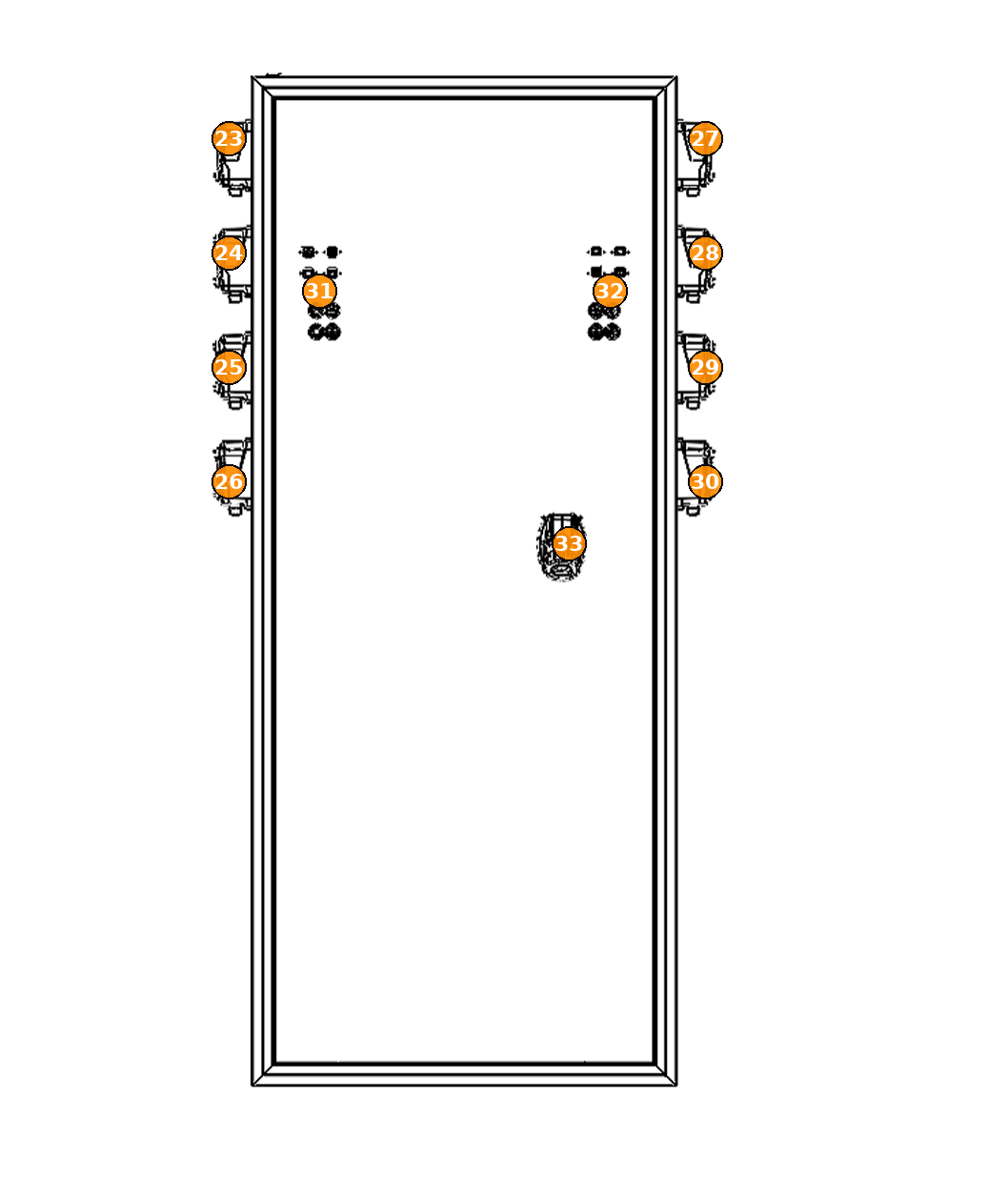
| # | Part | Description |
|---|---|---|
| 23–26 | Pumps 2–8 | Same physical fittings as #17–20, viewed from the rear. |
| 27–30 | Pumps 1–7 | Same physical fittings as #13–16, viewed from the rear. |
| 31 | Left terminal cluster | Tank sensors (left). |
| 32 | Right terminal cluster | Tank sensors (right). |
| 33 | Mains power | Mains power connection on the rear face. |
Top panel
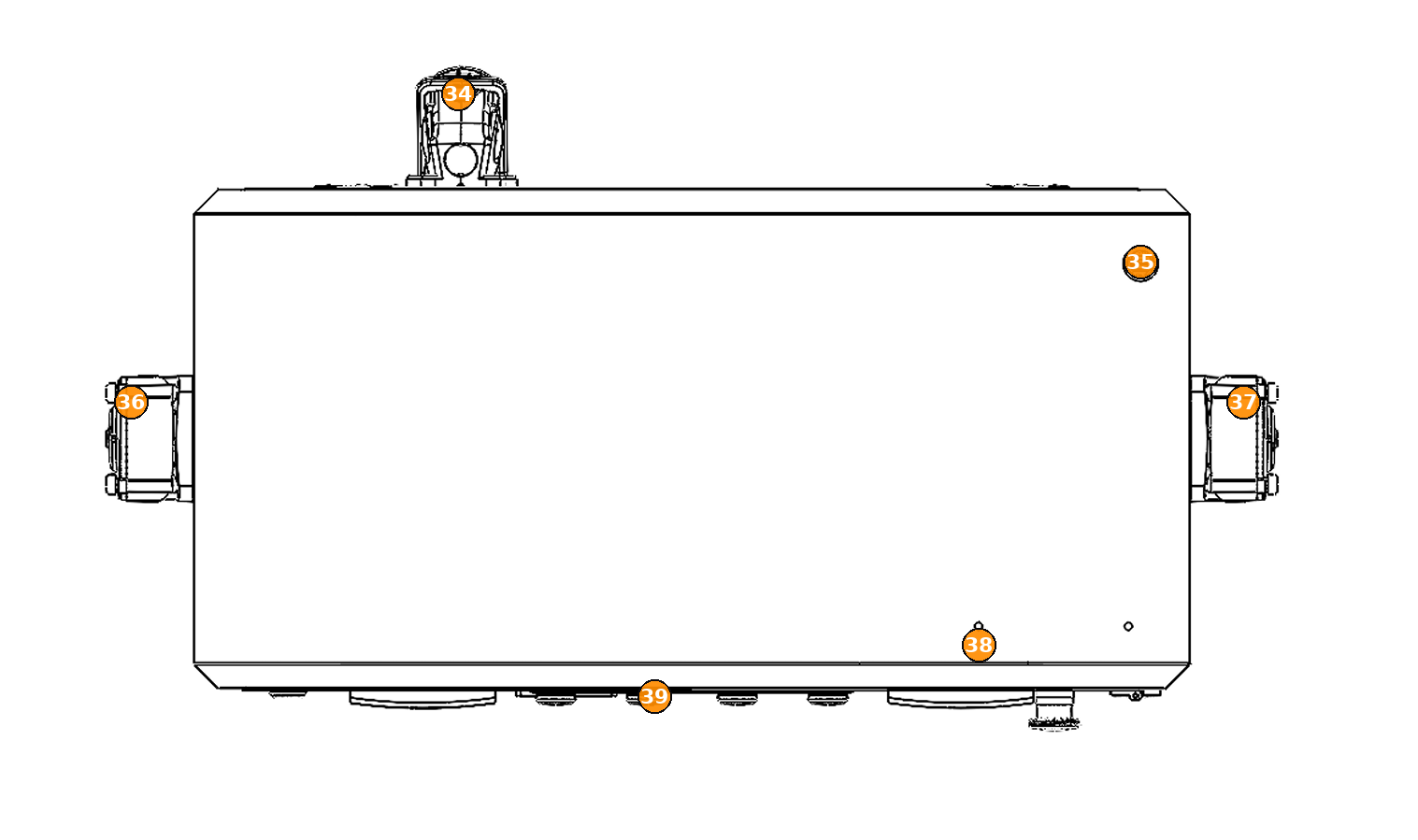
| # | Part | Description |
|---|---|---|
| 34 | Mains power connector | Top-mounted mains power connector. |
| 35 | Wired Ethernet connector | Network / Ethernet connection. |
| 36 | Pump column — left | Same fittings as #13–16 / #27–30, viewed from above. |
| 37 | Pump column — right | Same fittings as #17–20 / #23–26, viewed from above. |
| 38 | Antenna (Wi‑Fi) | Wireless antenna. |
| 39 | Lights cluster | Top-mounted lights cluster / beacon area. |
Operator quick map
Know #1 (HMI), #5 (power), #6 (emergency cut-off), #7–8 (voltage / current), and #39
(lights). Pump sides and mains/Ethernet are for technicians and installers.
Next
Study chemical safety and basic maintenance before power-on:
Chemical safety,
Basic maintenance
(never reverse pump hoses; no leakages; dust / dry electricals), then
Getting started.