10. Output tank monitoring
Open Monitor from Home (#22) to see how full output tanks A and B are before and during a blend.
When to open Monitor
Before a long run, whenever Home warns that an output tank is FULL, or when you need to
confirm dual vs single output mode. Recovery steps for a full-tank pause are in
Warnings.
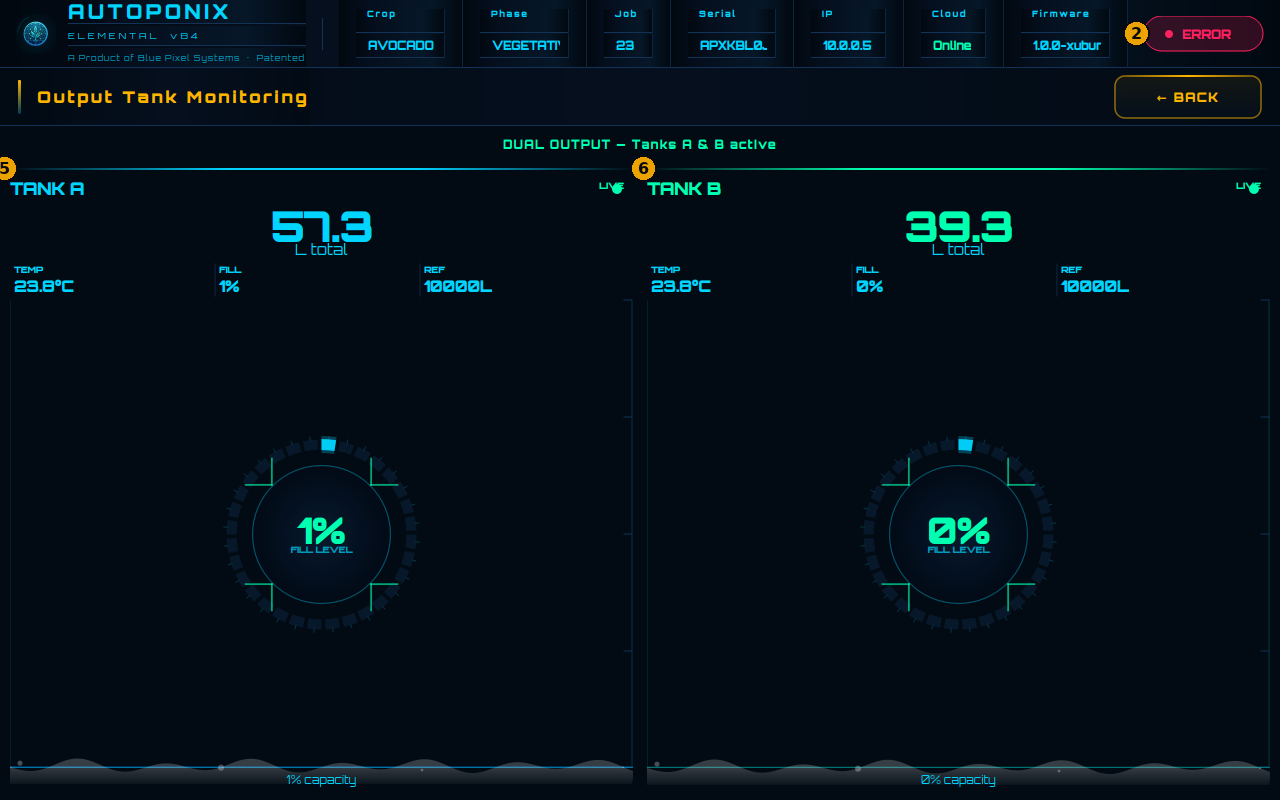
Screen map
| # | Feature | What it means |
|---|---|---|
| 2 | Status badge | Same global badge as Home (IDLE / WARNING / ERROR). |
| 5 | Tank A | Output Tank A: litres, LIVE/FULL, temperature, fill %, reference size, fill ring. |
| 6 | Tank B | Output Tank B: same readings (or STANDBY if not used in this job). |
Mode line
Under the title you will also see dual / single / awaiting job text — that tells you whether both tanks are active for this job.
When tanks show FULL
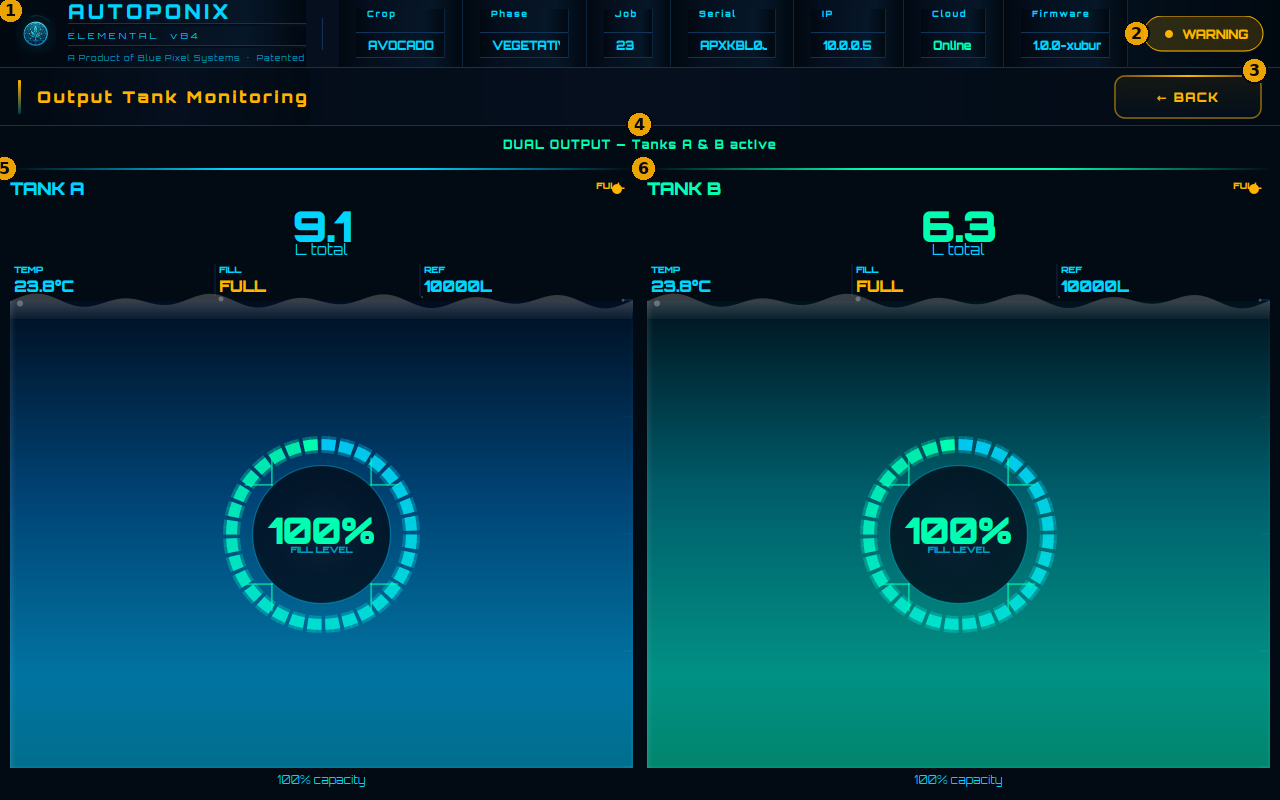
| # | Feature | What it means |
|---|---|---|
| 1 | Top branding / job strip | Product name plus crop, phase, job, serial, IP, cloud, firmware. |
| 2 | WARNING badge | Global attention flag — often because an output tank is full. |
| 3 | BACK | Return to Home. |
| 4 | Mode banner | e.g. DUAL OUTPUT — Tanks A & B active. |
| 5 | Tank A FULL | Fill shows FULL / ~100% — do not keep filling this tank. |
| 6 | Tank B FULL | Same for Tank B. |
Free capacity on the named tank(s), confirm LIVE returns, then BACK to Home. Home also surfaces the same FULL warning on the alarm card — see Warnings.
Next
Use
Warnings & troubleshooting
as your reference for empty, full, and error cases.