11. Warnings & troubleshooting
Reference chapter for the common pause and fault screens. Numbers match the Home screen map unless noted.
How to use this chapter
Jump to the symptom that matches your screen. Empty concentrate and full output are
introduced here as recovery procedures; Setup and Monitor show the detailed tank tiles.
Empty concentrate — dispense paused
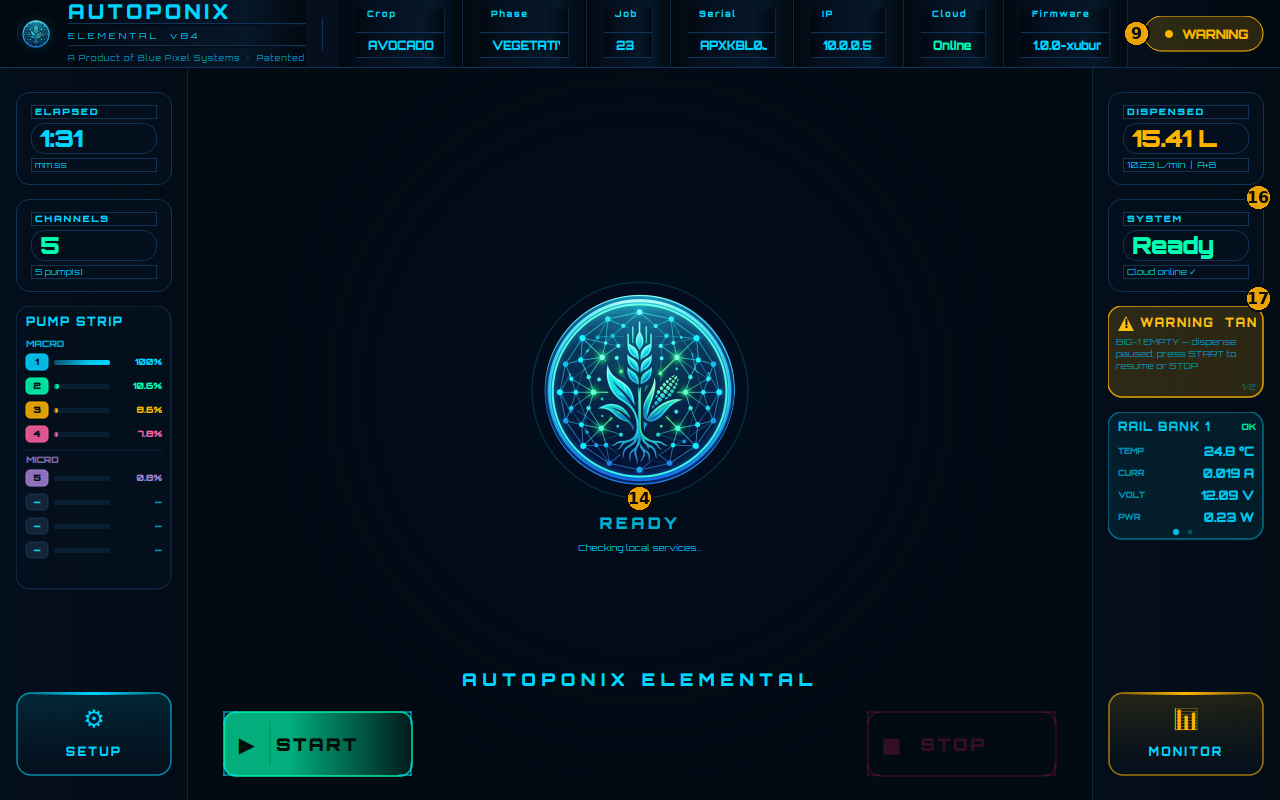
| # | Feature | What it means |
|---|---|---|
| 9 | WARNING badge | Attention needed — read the alarm card. |
| 14 | Centre status | May still show READY while a pause/warning is active — trust badge + card. |
| 16 | SYSTEM | Short health line (e.g. Ready / Cloud online). |
| 17 | Alarm card | Names the tank (e.g. BIG-1 EMPTY) and says press START to resume or STOP. |
- Note the tank name on #17.
- Open SETUP (#19) → find the EMPTY tile → refill → wait for LIVE.
- BACK → press START (#20) to resume, or STOP (#21) to end.
Tank tile detail: Setup & tanks.
Output tank full — warning on Home
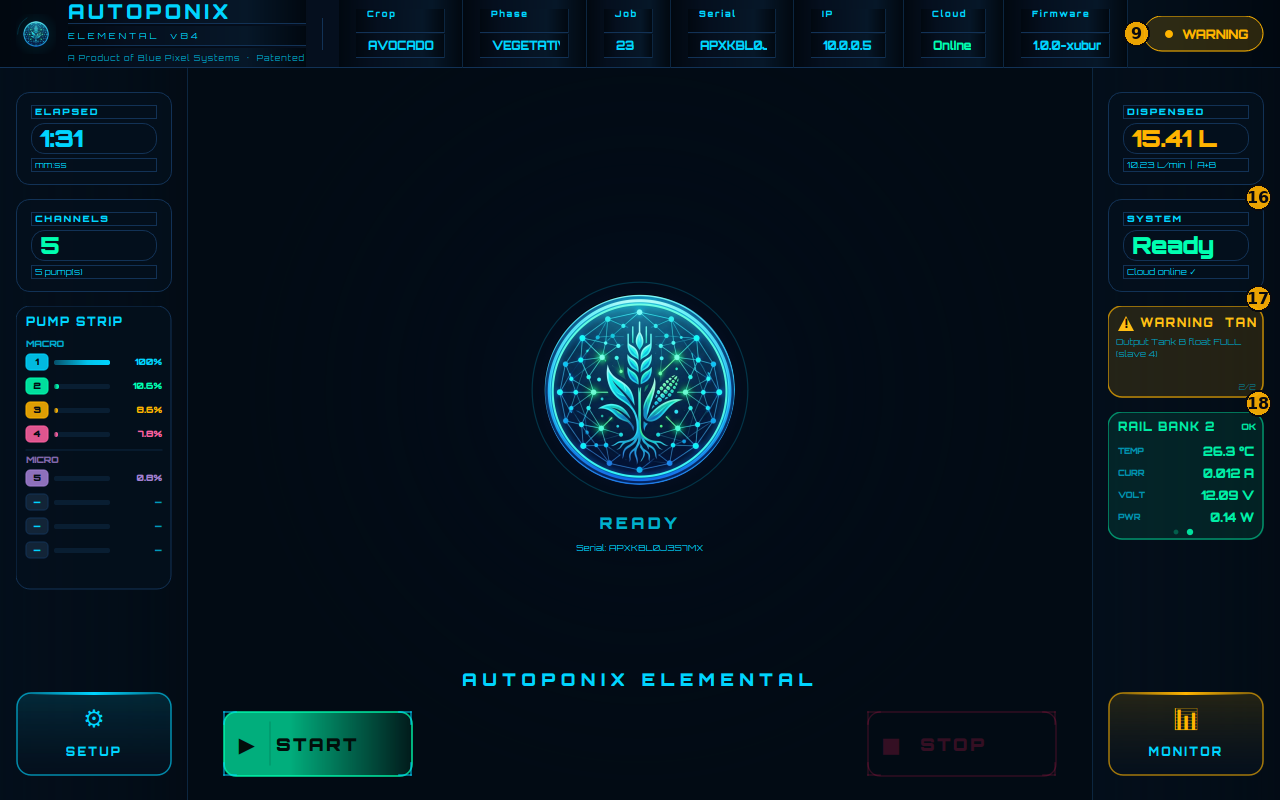
| # | Feature | What it means |
|---|---|---|
| 9 | WARNING badge | Global warning state. |
| 16 | SYSTEM | May still show Ready while a tank warning is present. |
| 17 | Alarm card | Details which output tank is FULL (example: Tank B). |
| 18 | RAIL BANK | Electronics readings — usually still OK during a tank-full warning. |
- Read which tank is FULL on #17.
- Open MONITOR (#22) → free capacity on that tank → confirm LIVE.
- BACK → confirm the alarm clears, then continue or START again as needed.
Fill rings and dual/single mode: Output tank monitoring.
ERROR while idle
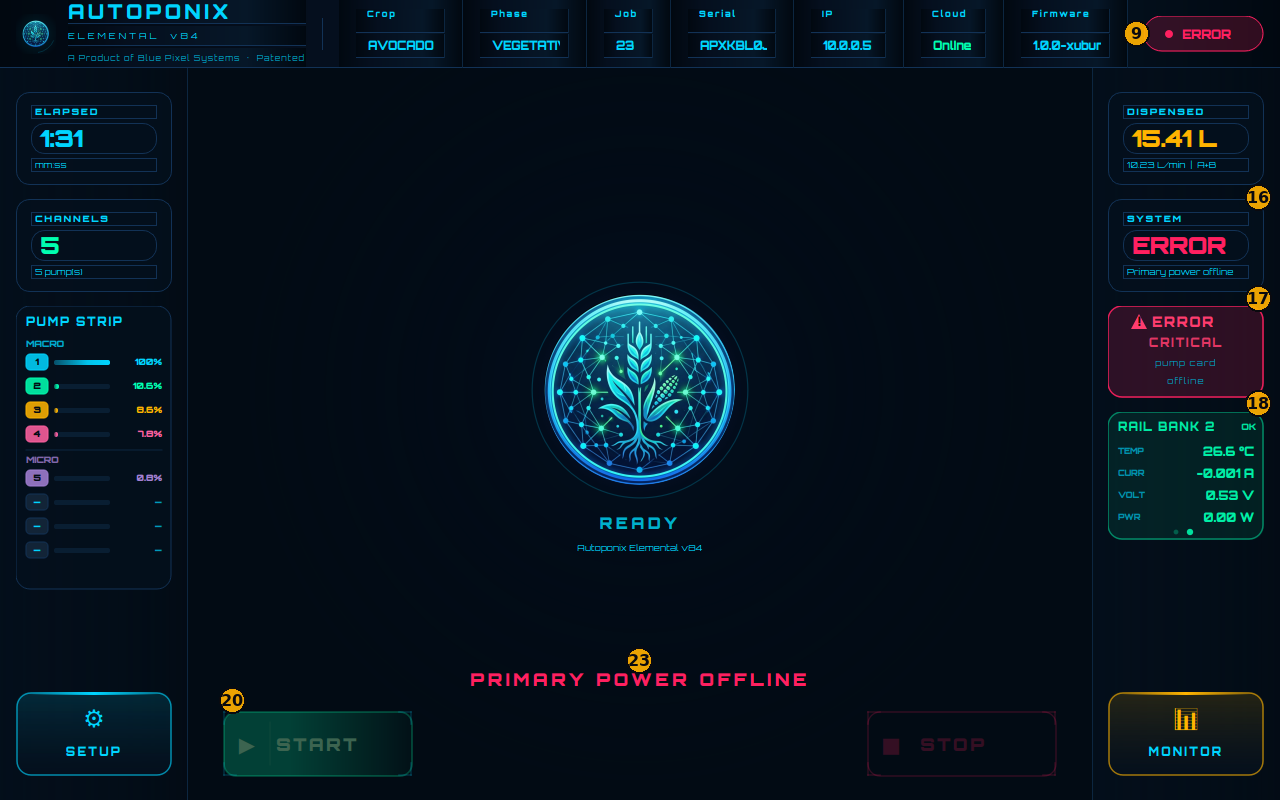
| # | Feature | What it means |
|---|---|---|
| 9 | ERROR badge | Serious condition flagged. |
| 16 | SYSTEM | Often shows ERROR with a short reason (e.g. primary power offline). |
| 17 | Alarm card | Critical detail (e.g. pump card offline). |
| 18 | RAIL BANK | Power/temperature readings — useful for technicians. |
| 20 | START | Usually dimmed / blocked until the fault clears. |
| 23 | Bottom banner | Large on-screen message (e.g. PRIMARY POWER OFFLINE). |
Remember precharge
A brief “primary power offline” style message for about 10 seconds after
cold power-on is normal. Taught in
Getting started.
If it lasts much longer, or appears mid-shift, treat it as a real fault.
ERROR while a blend is active
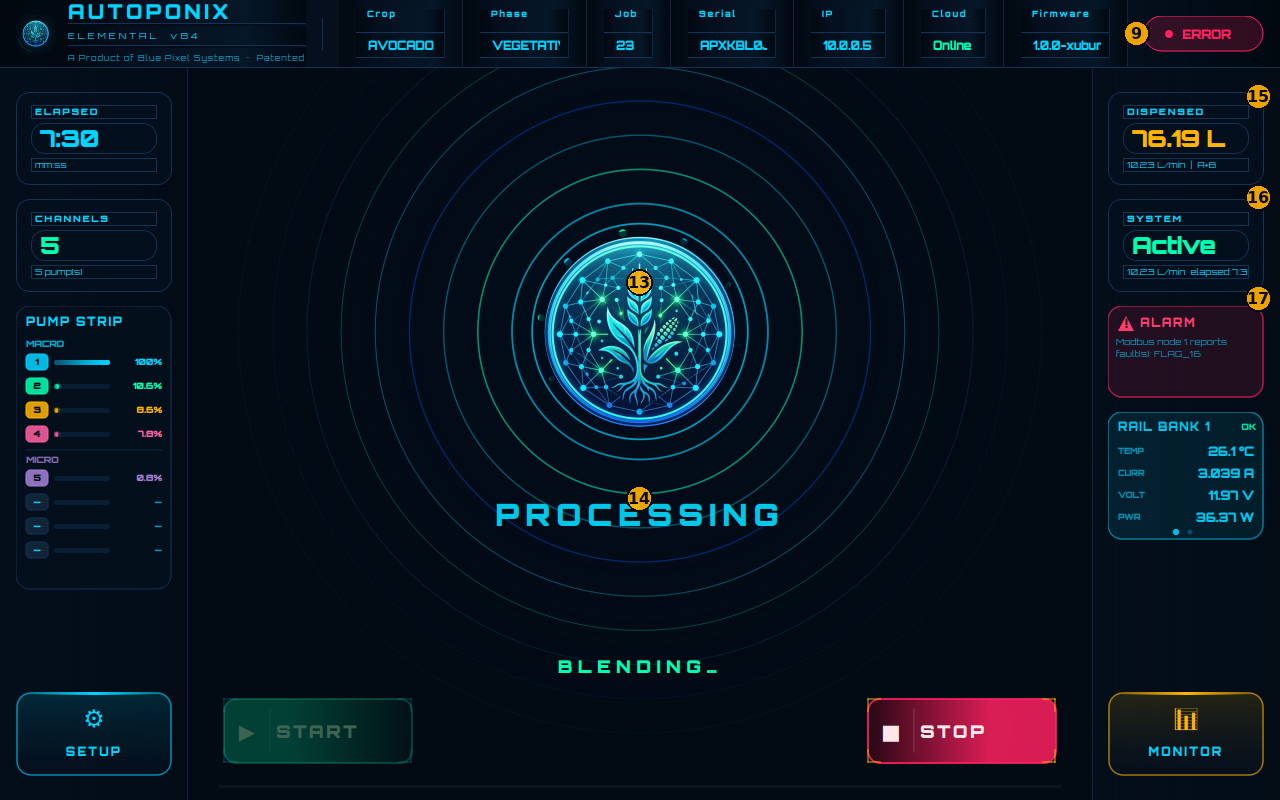
| # | Feature | What it means |
|---|---|---|
| 9 | ERROR badge | Fault during operation. |
| 13 | Centre emblem | May still show processing animation. |
| 14 | Centre status | PROCESSING / BLENDING… may still be visible — check alarms. |
| 15 | DISPENSED | Volume delivered so far. |
| 16 | SYSTEM | May still say Active while an alarm is present. |
| 17 | Alarm card | Exact fault text (example: Modbus / FLAG message). |
Prefer STOP (#21) if the process has not already stopped, then clear the cause using Setup logs (#12) before starting again.
Quick lookup
| Symptom | Check | Likely action |
|---|---|---|
| EMPTY / paused | Home 9, 17 → Setup | Refill → START or STOP |
| Output FULL | Home 9, 17 → Monitor | Free tank capacity |
| Power offline at start-up only | 9, 16, 23 | Wait ~10 s (precharge) |
| START will not press | 9, 17, 20 | Job loaded? Errors clear? |
| Pump / bus fault | 17 + Setup #12 | Power/cable; wait for recovery; call support if stuck |
Next
Cloud users continue with
Webapp — Dashboard.
Field lock screens are in
Administrator messages.